How to Choose the Deleting Option?
Once you have selected the duplicate files, choose how to delete them.
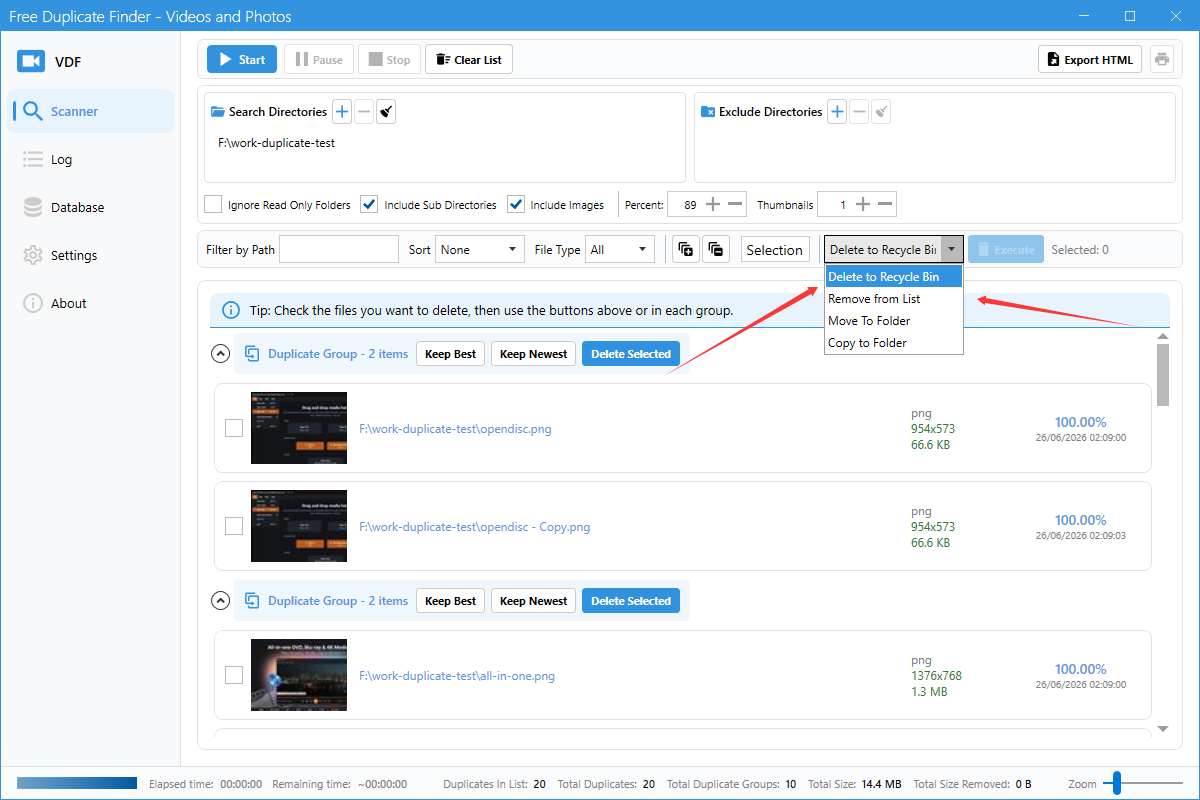
Step 1: Select delete action
Use the Delete to Recycle Bin dropdown to choose the action:
- Delete to Recycle Bin: Move selected files to the Recycle Bin (safer).
- Delete permanently: Permanently delete files from disk.
- From List (Keep Files): Remove from the result list only, keep files on disk.
- Copy To Folder (Keep Files): Copy selected files to another folder before deleting.
- Move To Folder: Move selected files to another folder.
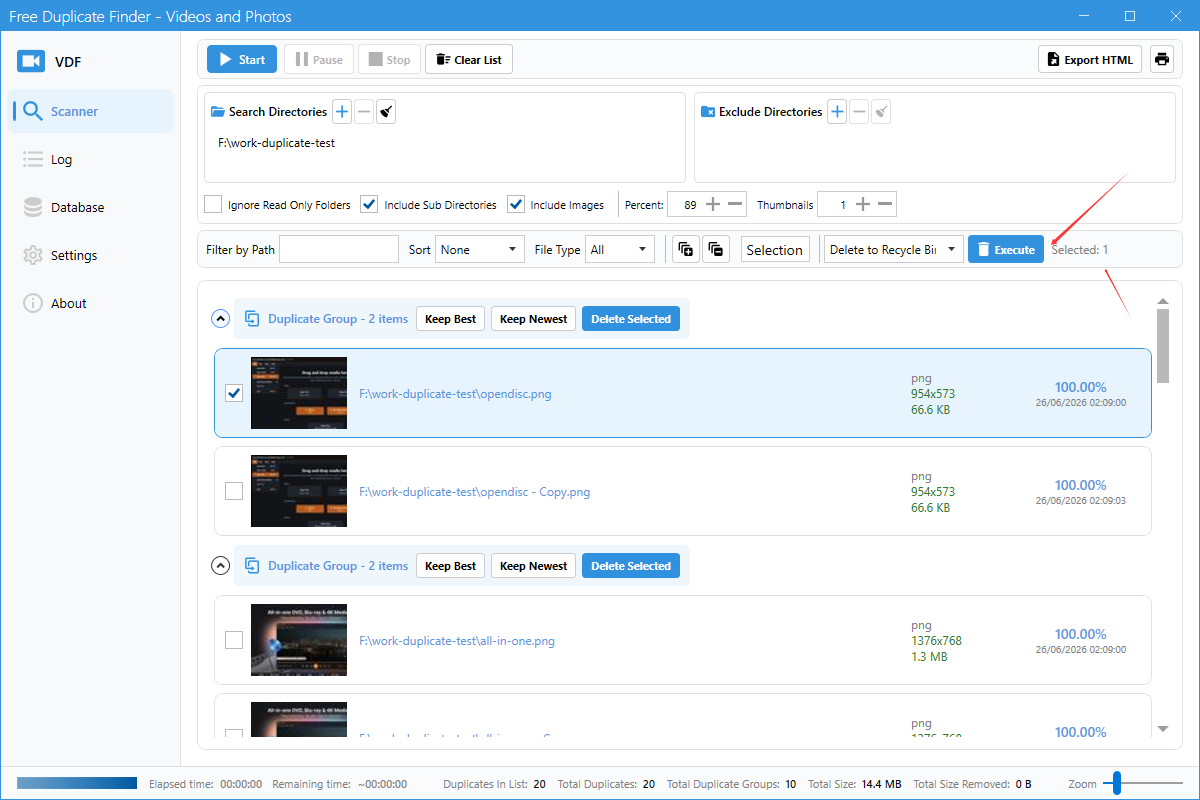
Step 2: Click Execute
Click the Execute button to apply the selected action. A confirmation dialog may appear.
Important notes
- Always review before executing permanent deletion.
- Recycle Bin deletion can usually be undone.
- Make sure at least one copy of each duplicate group remains.