How to Add Search Directory?
Free Duplicate Finder needs at least one folder to scan. Follow the steps below to add a search directory.
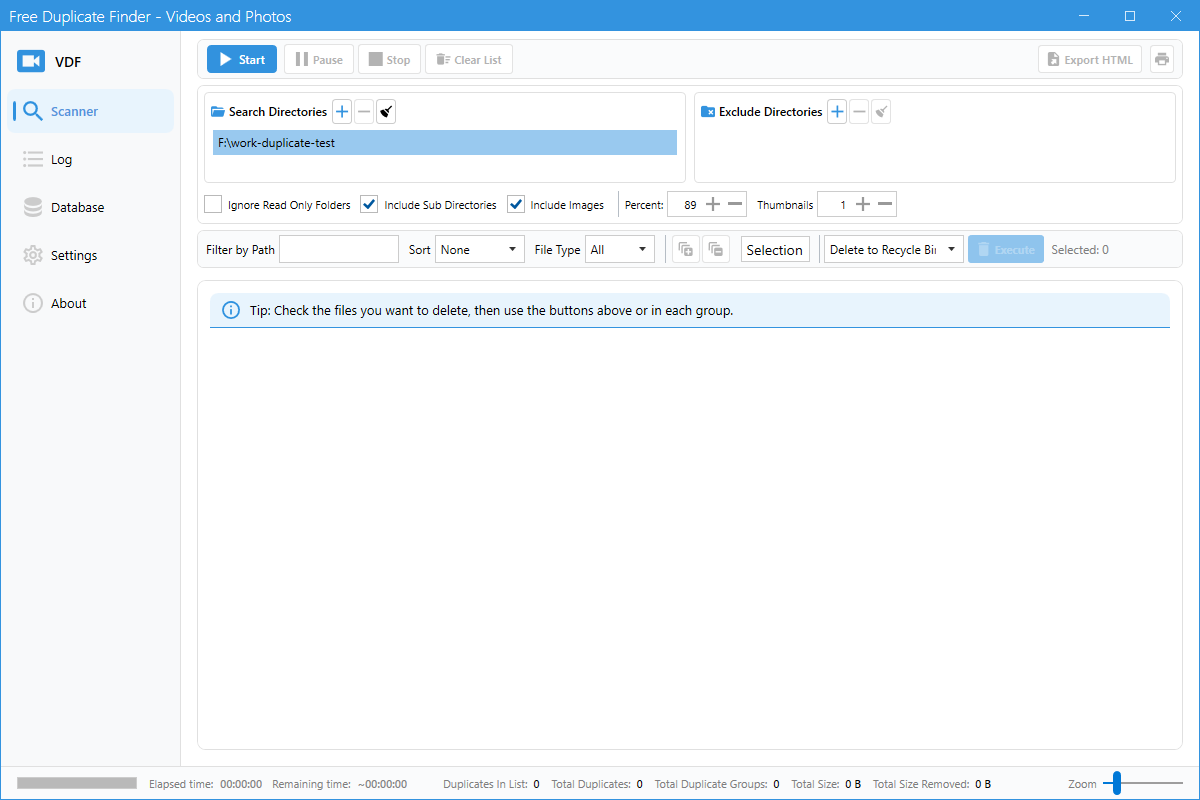
Step 1: Switch to the Scanner tab
After launching the app, make sure the Scanner tab is selected in the left sidebar.
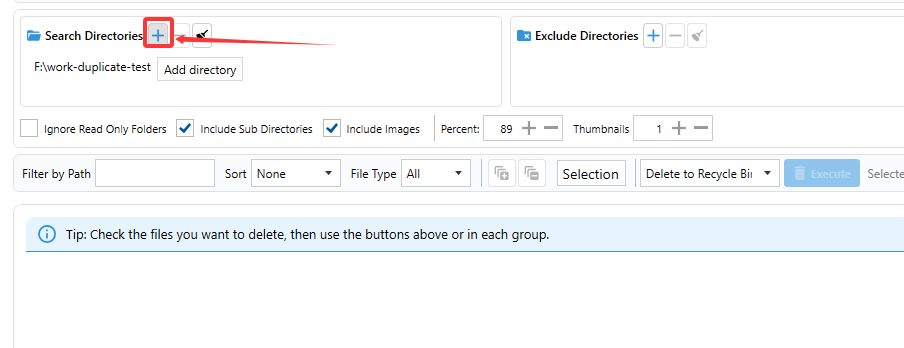
Step 2: Click Add in Search Directories
In the Search Directories box, click the + (Add) button. A folder picker dialog will open.
Step 3: Select the folder
Choose the folder that contains the videos or photos you want to check, then confirm. The folder path will appear in the list.
Step 4: Include sub directories (optional)
Check the Include Sub Directories option if you want the scan to also search inside subfolders.
Tips
- You can add more than one folder.
- Uncheck Include Images if you only want to scan video files.
- Use Ignore Read Only Folders to skip write-protected locations.