How to Start Searching?
Once you have added at least one search directory, you can start scanning for duplicate videos and photos.
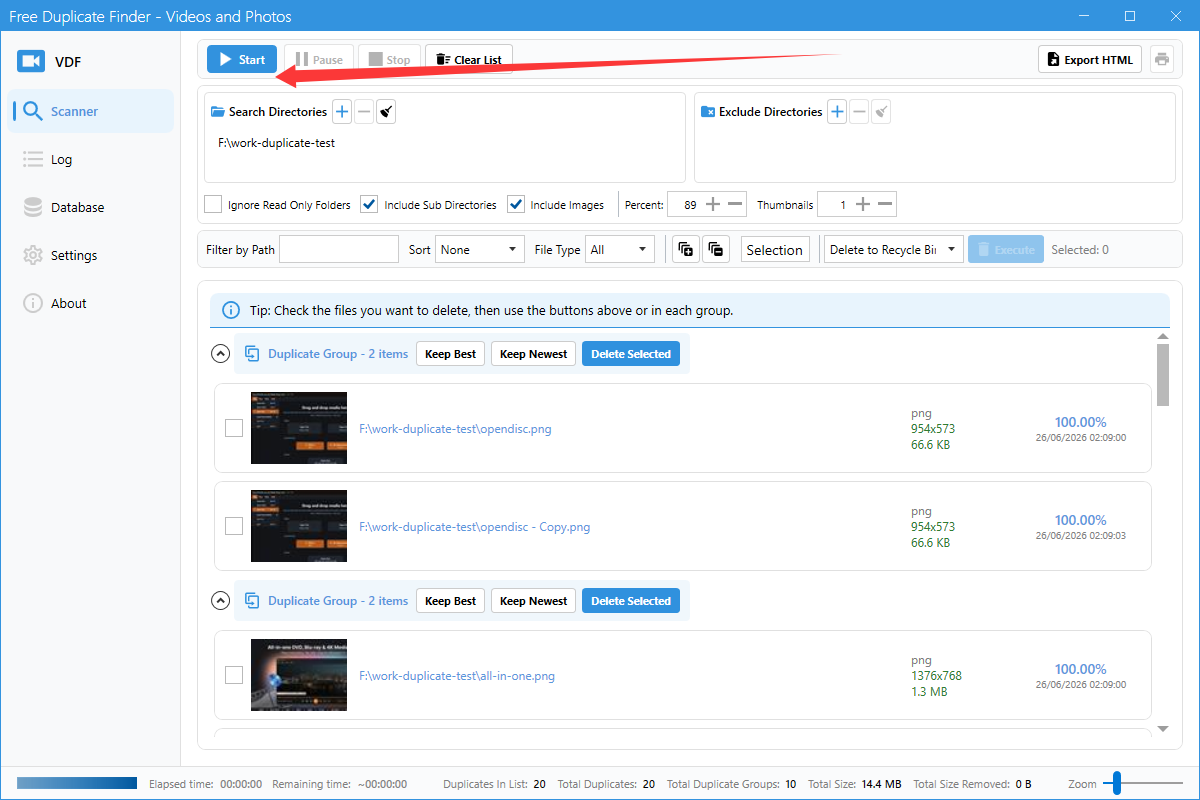
Step 1: Configure scan options
Before starting, you can adjust these options:
- Include Sub Directories: Scan inside subfolders.
- Include Images: Also scan image files.
- Percent: Similarity threshold for matching files.
- Thumbnails: Number of thumbnails used for comparison.

Step 2: Click Start
Click the blue Start button in the toolbar. The app will begin enumerating and comparing files.
Step 3: Wait for results
Progress is shown at the bottom of the window. When finished, duplicate groups will appear in the main area.
Controls during scanning
- Pause: Temporarily stop the scan.
- Stop: Cancel the scan.