
 Taskbar +Plus
A lightweight, open-source taskbar customiser for Windows 10 and 11. Transparency, blur and acrylic for every taskbar state.
Get it from Microsoft Store 中文教程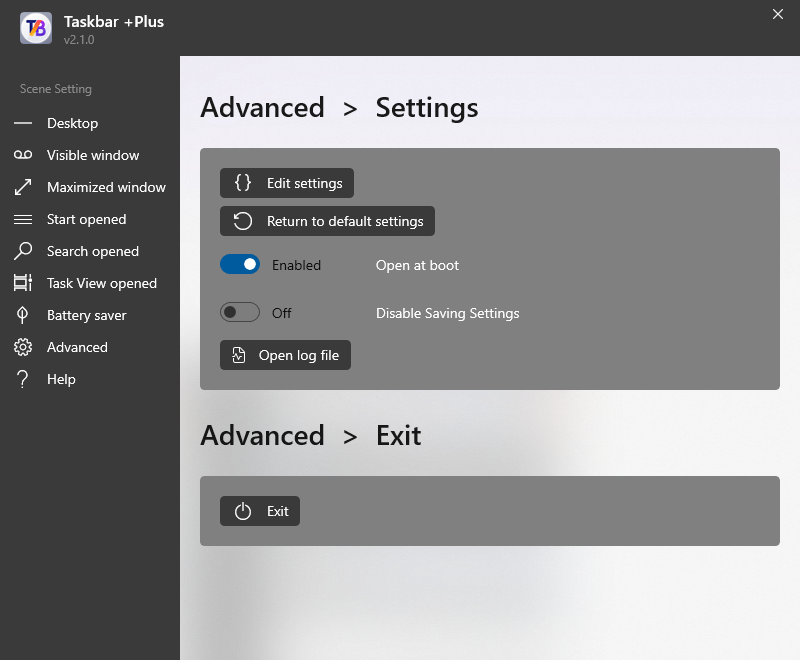
Advanced — configuration file, reset, startup behaviour, log file and exit.
| Control | What it does |
|---|---|
| Edit settings | Opens the configuration file so you can copy the same setup to another PC or edit values by hand. |
| Return to default settings | Resets every scene back to defaults. Use this if an experiment left the taskbar unreadable. |
| Open at boot | Starts the app with Windows. On by default; turn it off if you prefer to launch it yourself. |
| Disable Saving Settings | Stops the app from writing changes to disk — useful for testing a look you do not want to keep. |
| Open log file | Opens the diagnostic log. Attach it when you report a problem. |
| Exit | Quits the app completely and restores the normal Windows taskbar. |
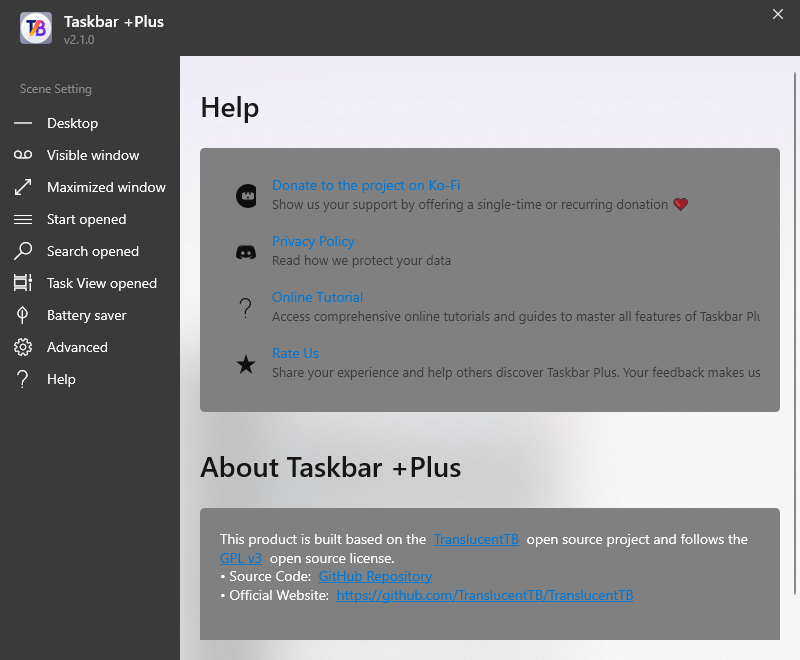
Help — support links, plus the open-source project this app is built on.
The Help page links to donation, the privacy policy, this tutorial and the Store rating page. The About section states the technical foundation: Taskbar +Plus is built on the open-source TranslucentTB project and follows the GPL v3 licence, with the source code published on GitHub.
If you find the app useful, rating it in the Store is the cheapest way to help.