
How to Convert Word to PDF
如何将 Word 转 PDF
Convert Word documents (.docx / .doc) and RTF files to PDF.
将 Word 文档(.docx/.doc)及 RTF 文件转换为 PDF。
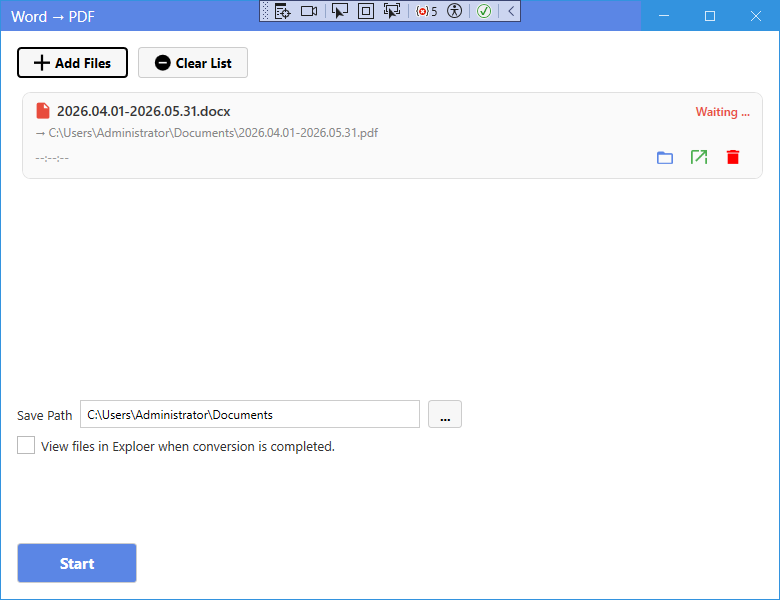
New UI
新版界面
- On the home page, click Word to PDF in the “Other Formats to PDF” section.
- Click Add Files and select .docx, .doc or .rtf files.
- Choose the save folder if needed.
- Click Start. The result is saved as a PDF with the same name.
- 在主页“其他格式转 PDF”区域点击 Word 转 PDF。
- 点击添加文件选择 .docx、.doc 或 .rtf 文件。
- 可按需选择保存文件夹。
- 点击开始转换,结果保存为同名 PDF 文件。
Classic Mode
经典模式
- In Classic Mode, click the corresponding card on the home page, add your files, set options if needed, and press Start.
- 在经典模式中,点击主页对应卡片,添加文件,按需设置选项后点击开始。
Tip: Word to PDF does not support page range — the whole document is converted.
提示:Word 转 PDF 不支持页范围——整篇文档一起转换。